There is a video tutorial at the bottom of this page.
For this, you will need a temporary room which is not encrypted.
(because the server needs to be able to access this picture)
You can create a new room like this:
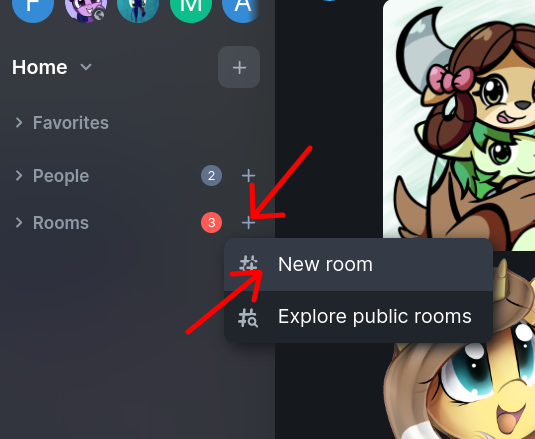
Disable encryption in this new room:
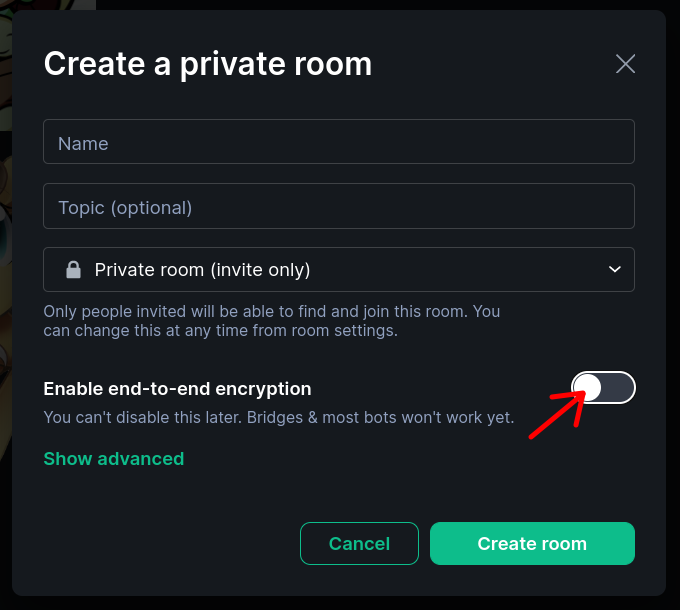
(don't worry, you can delete this room later)
Now you have a room without encryption.
In this room, send the picture that you want to use as your profile picture.
Then right click the image and click "Copy image address":
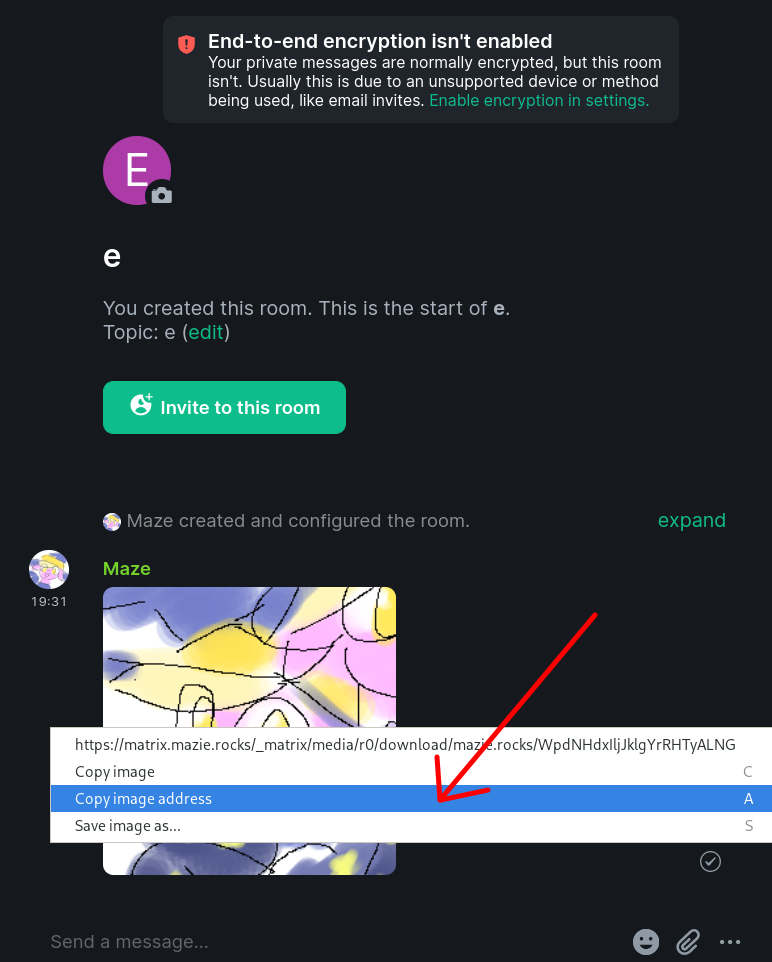
You will get a long link, such as https://matrix.mazie.rocks/_matrix/media/r0/download/mazie.rocks/WpdNHdxIljJklgYrRHTyALNG
But you only need the part after the last slash.
In this case, WpdNHdxIljJklgYrRHTyALNG
You're almost done!
Go to the room where you want to set your profile picture.
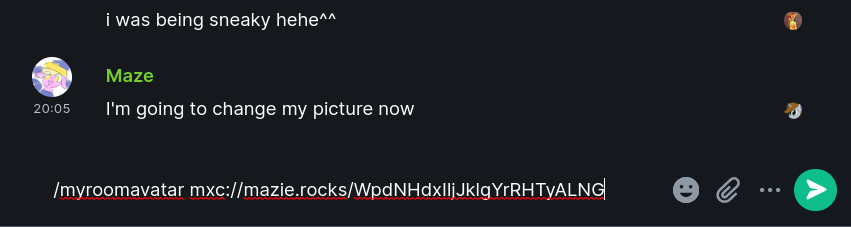
Put your code at the end of this command, then copy paste the whole command into Matrix:
For example, my command was like this:
/myroomavatar mxc://mazie.rocks/WpdNHdxIljJklgYrRHTyALNG
Congratulations, you have learned how to create a mxc:// link and use it!
You don't need that temporary room any more. You can delete it.
Because your image will stay on the server anyway.